
Android app for vehicle expenses

Enter a fill-up.
Get the numbers back.

MiExpenses keeps fill-ups, repairs, insurance and parking for every vehicle you own. It turns them into the figures nobody works out by hand: consumption between two full tanks, the price of one kilometre, and what this year has cost against last year.

Get it on Google PlaySee what it does

Free. Android 7.0 and newer.

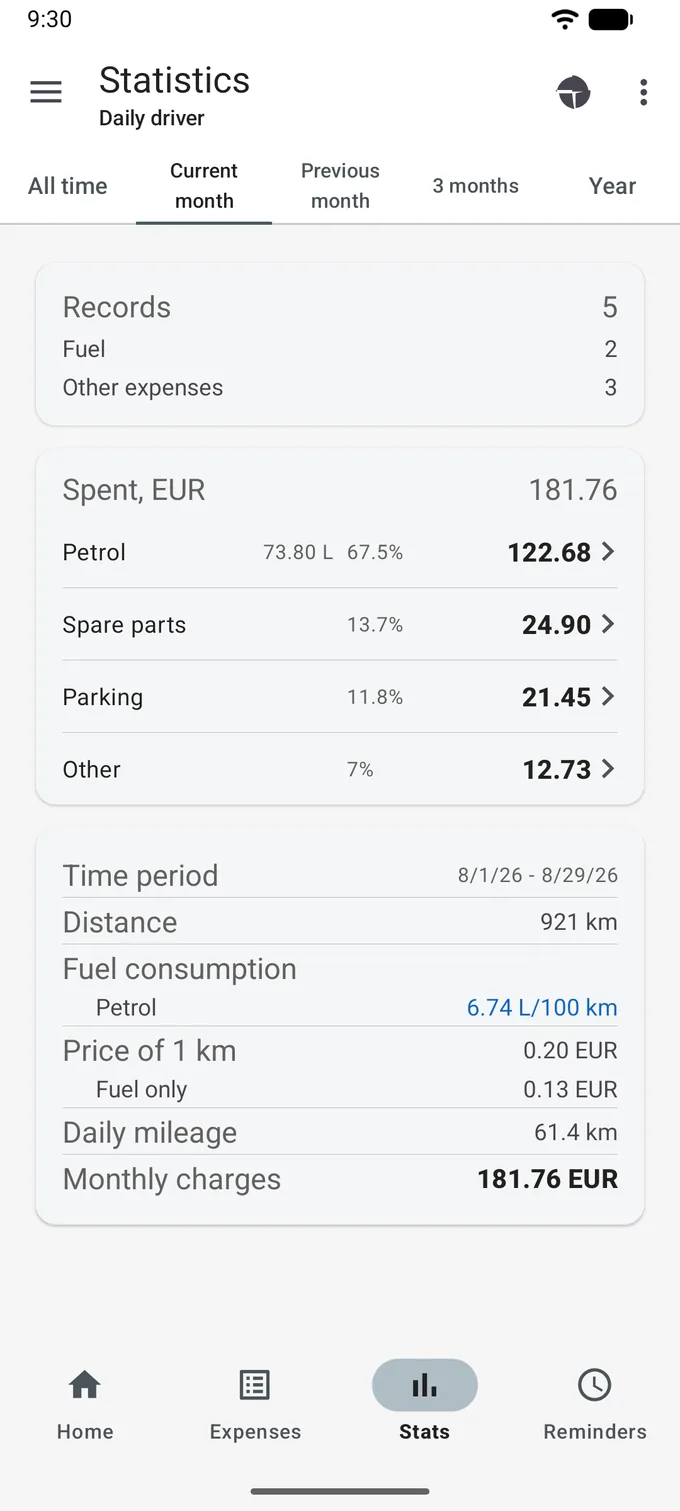
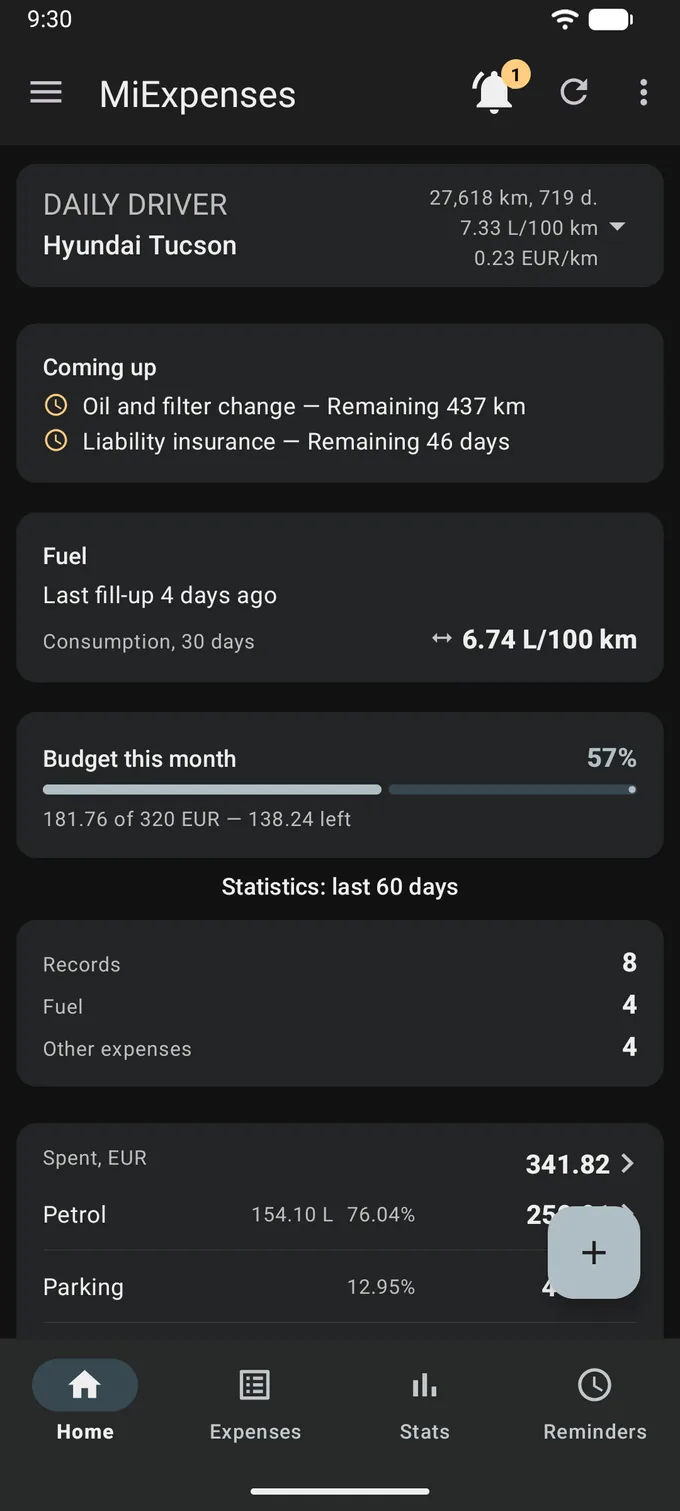
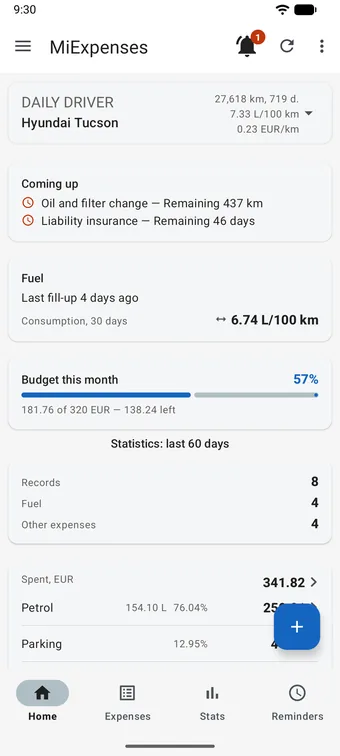
MiExpenses home screen: a vehicle card showing 27,618 km, 7.33 L/100 km and 0.23 EUR/km, a Coming up card with an oil change in 437 km and insurance in 46 days, a fill-up card, a Budget this month bar at 57 percent, and totals for the last 60 days.
Home screen
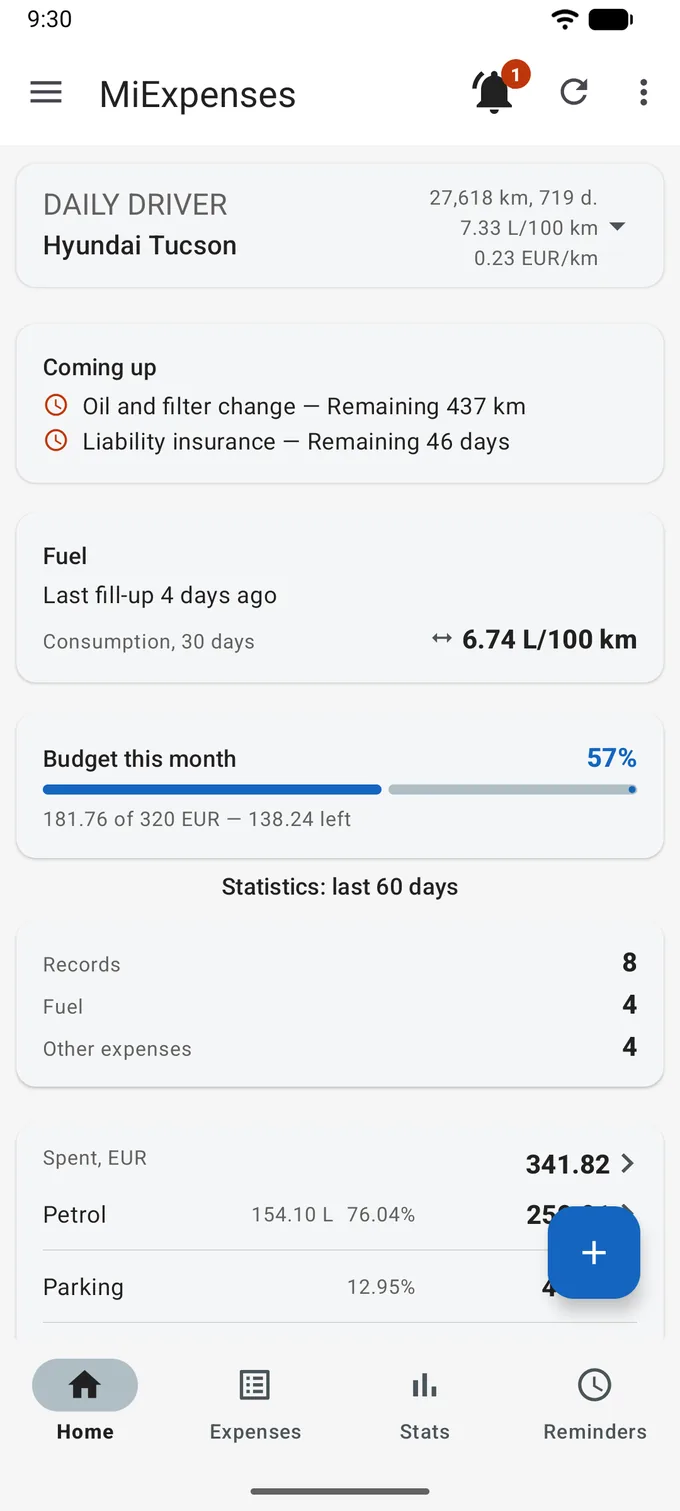
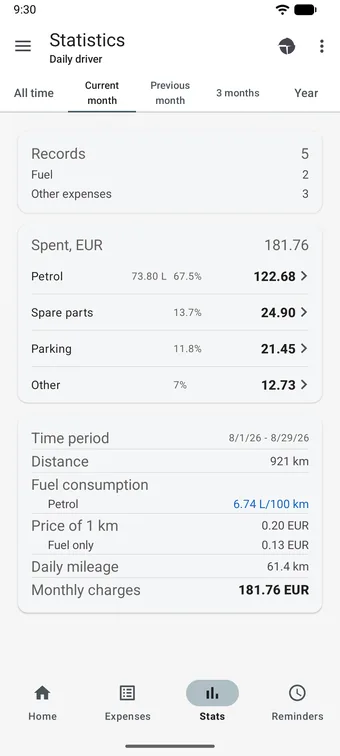
Statistics screen on the Current month tab: five period tabs, 5 records, 181.76 EUR spent split by category, and a card with distance 921 km, consumption 6.74 L/100 km and price of 1 km 0.20 EUR.
The month in figures

Why not a spreadsheet

Because the numbers worth having are the ones a spreadsheet makes you recalculate by hand, and the ones people get wrong.

Consumption, counted properly

Fuel consumption is measured between two full tanks of the same fuel, because that is the only pair of points where the tank level is known rather than guessed at. Until that pair exists, the app prints a dash rather than a number it cannot stand behind. Partial fills can be folded in as well, if you switch that on in settings.
Cost per kilometre, not just a total

Every period gives you distance, money spent, the price of one kilometre and the same figure for fuel alone. A sum tells you what left your account. A rate tells you what the car is doing.

This year against last year

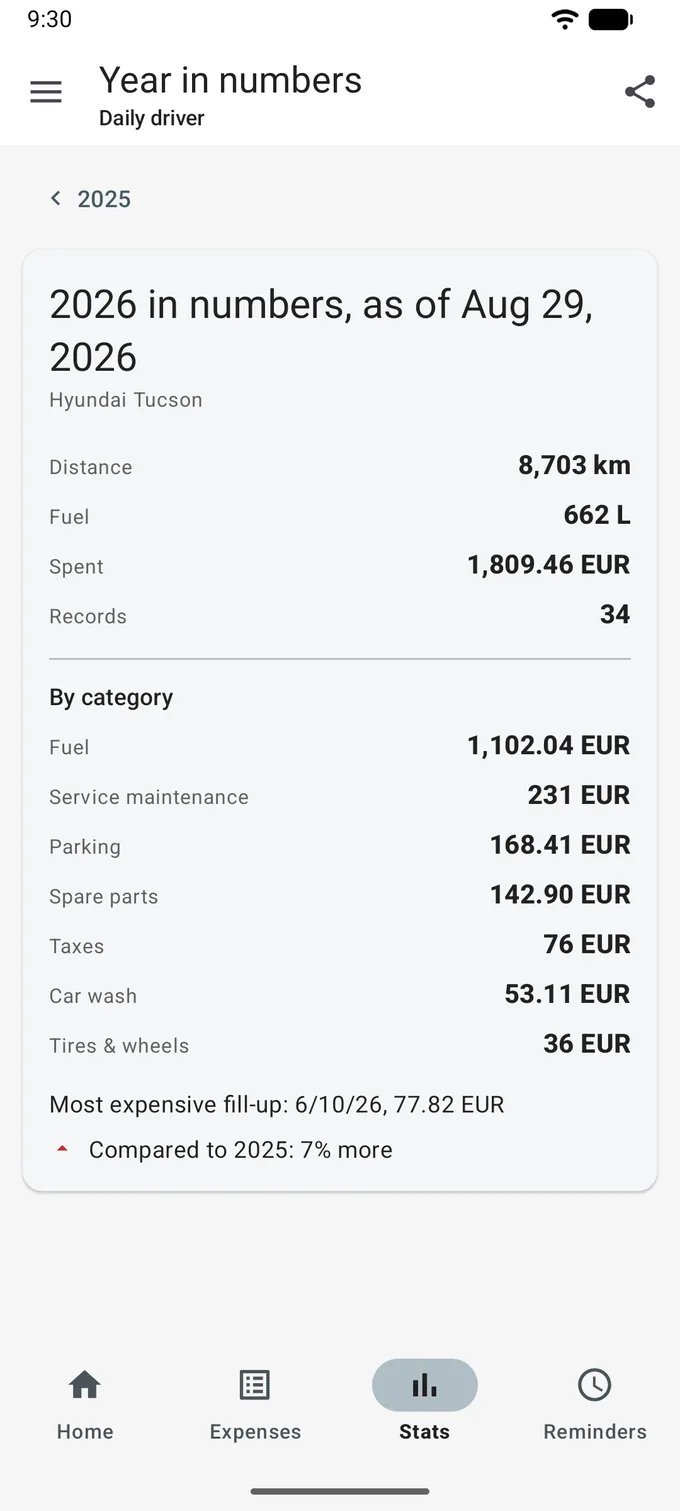
Year in numbers gives you distance, litres, spending and record count for the year, and at the foot it compares one of them — what you spent — with last year, as a single percentage up or down. In an unfinished year both sides are cut off at the same calendar day, so the comparison is fair.

A long press on + starts a fill-up

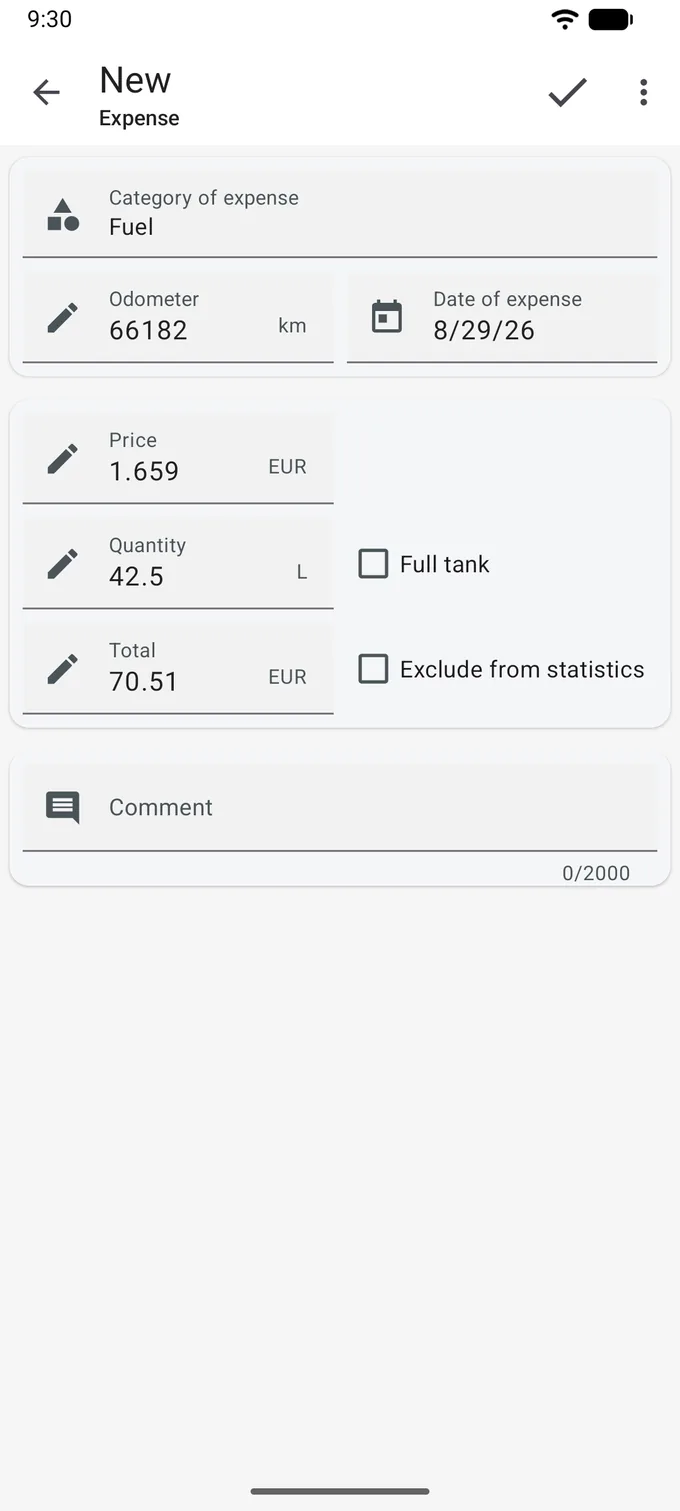
The fuel category is already chosen. Fill in the numbers and tap the check.

The receipt gives you three figures and you only need two of them. Price per litre and volume, and the app writes the total. Total and volume, and it works back to the price. Whichever field you leave empty is the one it fills.

  • Volume, price per unit and total: type any two, and the third is completed for you. This runs while the category is a fuel one.
  • On a new fill-up the price you paid last time is offered as a default, once that vehicle already has a fill-up with a volume and a sum behind it. The first fill-up has nothing to copy from, so you type it in full.
  • Full tank is a checkbox rather than a guess. Consumption after a full tank is an exact figure; after a partial fill it is shown with a tilde in front of it.

What goes in, and what comes back

Records on one side, arithmetic on the other.

What you record

Every cost the vehicle has

  • Nine built-in expense types: fuel, service maintenance, insurance, lease, spare parts, taxes, parking, fees and other. With an account you can add your own subcategories under any of them.
  • Each record carries a date, an odometer reading, an amount and a comment. Fuel records add price per unit, volume, fuel type and the full-tank flag.
  • Several vehicles, in six types: car, truck, motorcycle, scooter, boat and other. Each keeps its own fuel types, tank volumes and odometer, and one vehicle can run on two fuels.
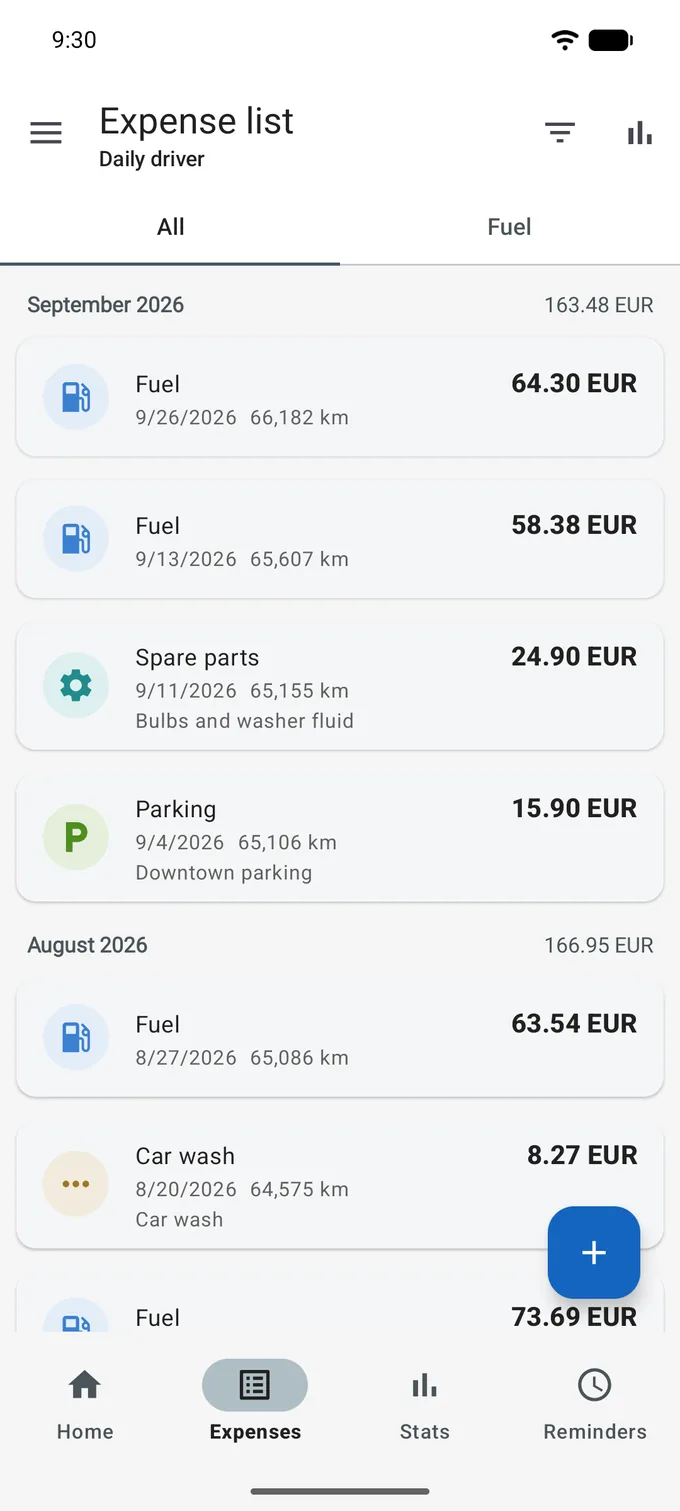
  • The list groups records under month headings that carry the month's total, and shows the distance since the record before.

What you get back

The same period, five ways

  • For any period: number of records, money spent, distance covered, price of one kilometre, the same price counting fuel alone, daily mileage and average monthly spending.
  • The periods are tabs: all time, current month, previous month, three months, year. The last two are rolling windows that end with the last day of the previous month, so the month you are living in does not skew them.
  • On the all-time tab you can set any from and to dates yourself. A new vehicle starts with that tab alone; the rest appear as history accumulates.
  • A pie chart splits spending by category, and three charts show spending by month, consumption over time and fuel price over time. Any of them saves as an image and goes out through the usual share sheet.

Eight screens

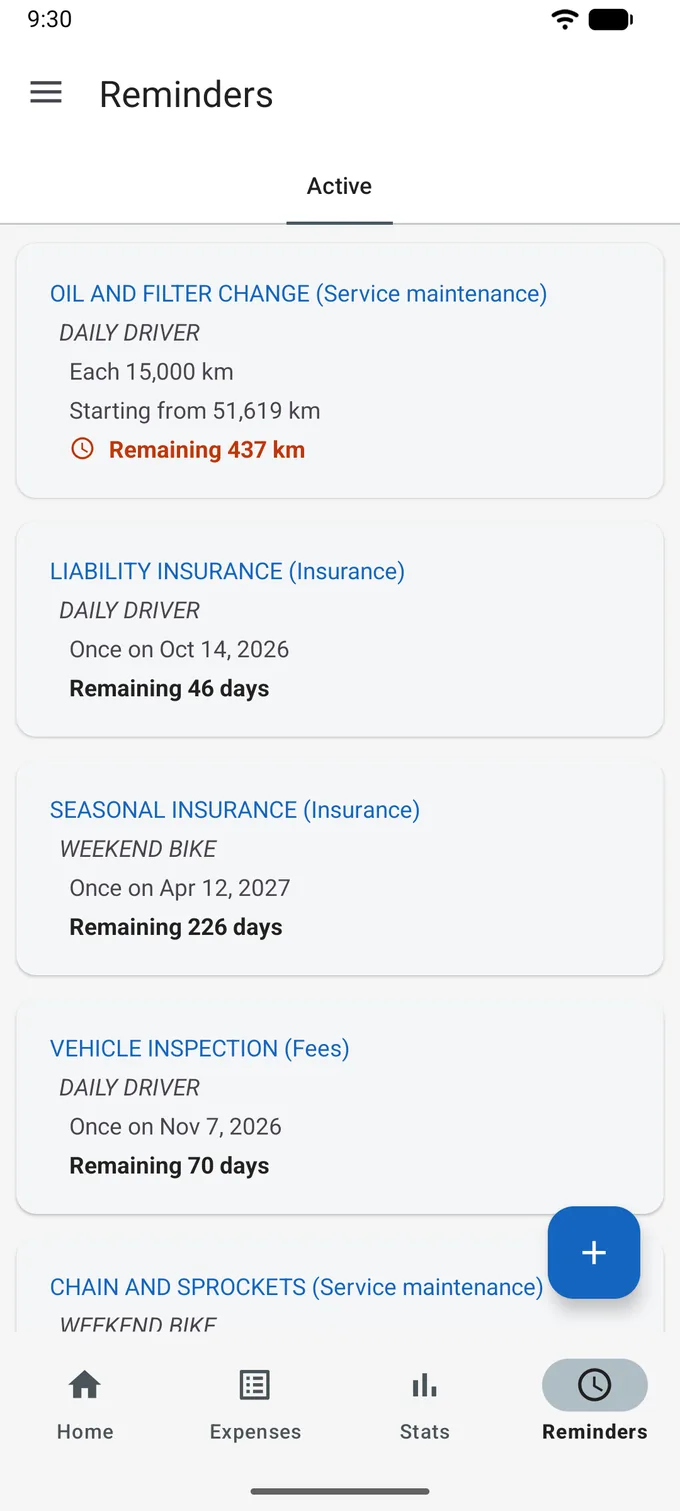
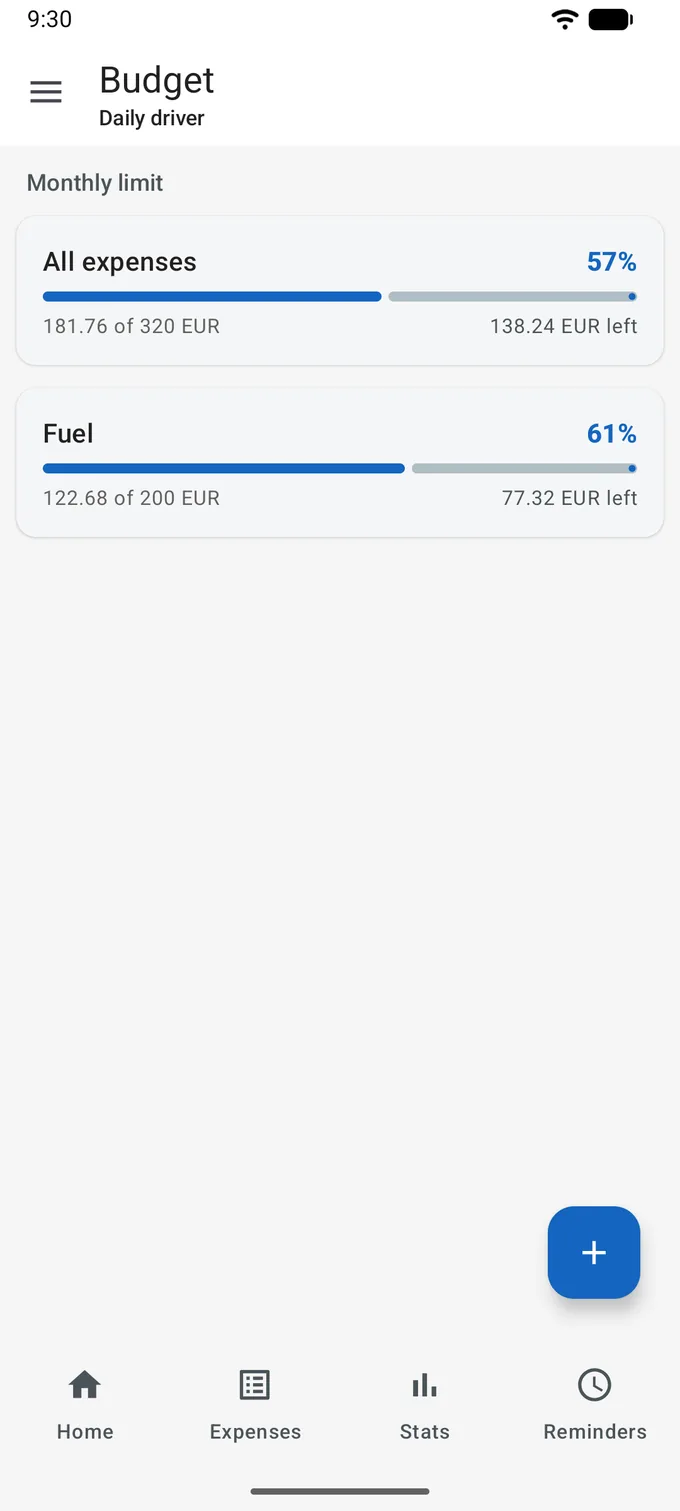
The screenshots are illustrative. They were taken on a demo account whose vehicles, fill-ups and odometer readings were generated by a script, so no figure on them belongs to a real driver.

What the app does not do

Some of this was decided, some of it was never built. Either way you can check every line of it against the permission list Android shows you before you install.

  • It asks for no location, no camera and no microphone, and there is no geolocation code behind it. Two permissions are in the manifest and deserve naming, because you will see them: GET_ACCOUNTS, which Play files under Contacts and which nothing in the app ever calls, and storage access, requested only on Android 9 and older, and only at the moment you export a file.
  • There is no crash-reporting or performance-monitoring SDK in the build: no Crashlytics, no Sentry, no equivalent from anyone else. Crash logs and stack traces are not gathered, and the developer does not see them.
  • There are no in-app purchases and no subscriptions. The billing library is absent from the app entirely, so there is nothing to buy inside it and nothing to be sold.
  • No drive is recorded on its own. There is no trip detection, no background driving log and no OBD adapter; every odometer reading in the app is one you typed.
  • Nothing can be imported. CSV and PDF go one way, out of the app, and there is no way to load a file back in. Getting to your records on a new phone means signing in to the same account.

Two things run in the other direction, and they belong here too. Opening the Global statistics list plays one full-screen rewarded video, unless the account is marked as paid. And at every start the app asks an outside service which country your IP address is in. Both are described in the privacy policy.

Get it on Google Play

Free. Android 7.0 and newer.

Getting to the first real number

  1. Install it

    Free on Google Play, on Android 7.0 and newer. Nothing is offered for sale afterwards.

  2. Sign in

    An account is required: an email address with a password, or your Google account. Signing in needs a working connection, and there is no way around that step.

  3. Add the vehicle

    Type and name, fuel types and tank volumes, the odometer as it reads today. Plate number and VIN are optional.

  4. Record a fill-up

    The first one gives you a price, a volume and a sum. Consumption needs two full tanks of the same fuel in a row, so the second full tank is where the interesting numbers begin.

Start with the next tank

Install the app, add the vehicle, and enter the tank you are about to fill. By the one after it you will know what the car drinks and what a kilometre of it costs.

Get it on Google Play

Free. Android 7.0 and newer.